Excel can be a suitable starting point for organizing car rental bookings when the file is clear and the person responsible for updating it is known. However, with an increase in modifications and multiple employees, tracking the correct version and linking bookings to vehicles and payments can become a task requiring continuous coordination.
The decision to transition to car rental management software does not depend solely on the number of cars. The more important question is: Do spreadsheets help you quickly understand the current situation, and can the team rely on the same information while working? This comparison will help you evaluate that practically.
When is car booking management on Excel suitable?
Spreadsheets are a practical option when the workflow is simple, data is standardized, and modifications are relatively few. You can customize columns, filter records, and prepare reports to suit your needs, provided there is a clear procedure for updating and reviewing.
There is one known reference file for all employees.
Each vehicle has a fixed identifier, and each booking has a unique, non-repeating number.
Dates, times, status, and payments are recorded in a standardized manner.
There is clear responsibility for error review, backups, and access management.
It's important to be fair here: Excel supports co-authoring in compatible environments and versions, as explained by Microsoft in its guide on collaborating on workbooks. Therefore, it's incorrect to say that spreadsheets don't allow more than one person to work; the issue is how much you need to build and maintain on top of the file to organize the rental cycle.
What is the difference between a booking spreadsheet and specialized software?
Comparison Aspect | Excel | Car Rental Management Software |
|---|---|---|
Data Structure | Can be freely designed; linking depends on file setup. | Often organized around the vehicle, customer, and booking within a specific model. |
Availability and Conflicts | Formulas and alerts can be set up, requiring testing and maintenance. | Test how the software itself handles appointments, conflicts, and preparation. |
Permissions and Tracking | Affected by sharing settings, tools, and versions used. | Check available roles and the change log for each operation. |
Linking Workflow Steps | May require linking between sheets, files, or other tools. | Evaluate data flow between booking, delivery, payments, and reports. |
Customization | High flexibility in columns and calculations. | Depends on the software's settings, limitations, and what it offers to the office. |
This is a comparison of workflows, not a guarantee that any specialized software will fulfill all these functions. Each point must be tested within the software you are considering adopting, especially regarding permissions, reports, and data export.
5 Indicators That Warrant Evaluating a System Transition
1. You constantly ask: Which version is the latest?
If bookings move between a file on the computer and a version sent via WhatsApp, start by unifying the reference immediately. If the team still needs to match files every day, this indicates that the sharing method is no longer serving the work as it should.
2. You enter the same information more than once
Repeating the customer's name, return date, or amount in multiple files increases review points. Observe where any modification requires another manual update, and ask how this can be reduced in a single workflow.
3. Extensions and maintenance do not appear in availability decisions
A day might appear empty in the booking schedule while the car has not yet returned, or it needs preparation or maintenance. If this information is reviewed in different sources before each confirmation, test a system that helps the team see it within the work context.
4. You need more precise permissions or tracking
When team roles vary, you might need to separate information viewing from editing, or track who changed an appointment or recorded a payment. First, define the required procedure, then compare what the file offers with what the candidate software actually provides.
5. Report generation requires frequent manual collection
If the weekly report begins with matching files and reclassifying records, document its steps and data sources. This gives you a clear test for any new system: Does it provide the required information in an understandable way and can it be matched with the original records?
How to compare costs without assuming hypothetical figures?
Record the time your team spends updating spreadsheets and matching data during a period representing typical work. Calculate administrative follow-up hours and multiply them by your internal hourly cost, then compare this to the cost of subscription, setup, and training. Do not consider all this time as guaranteed savings; use it as a baseline and test the difference after the trial.
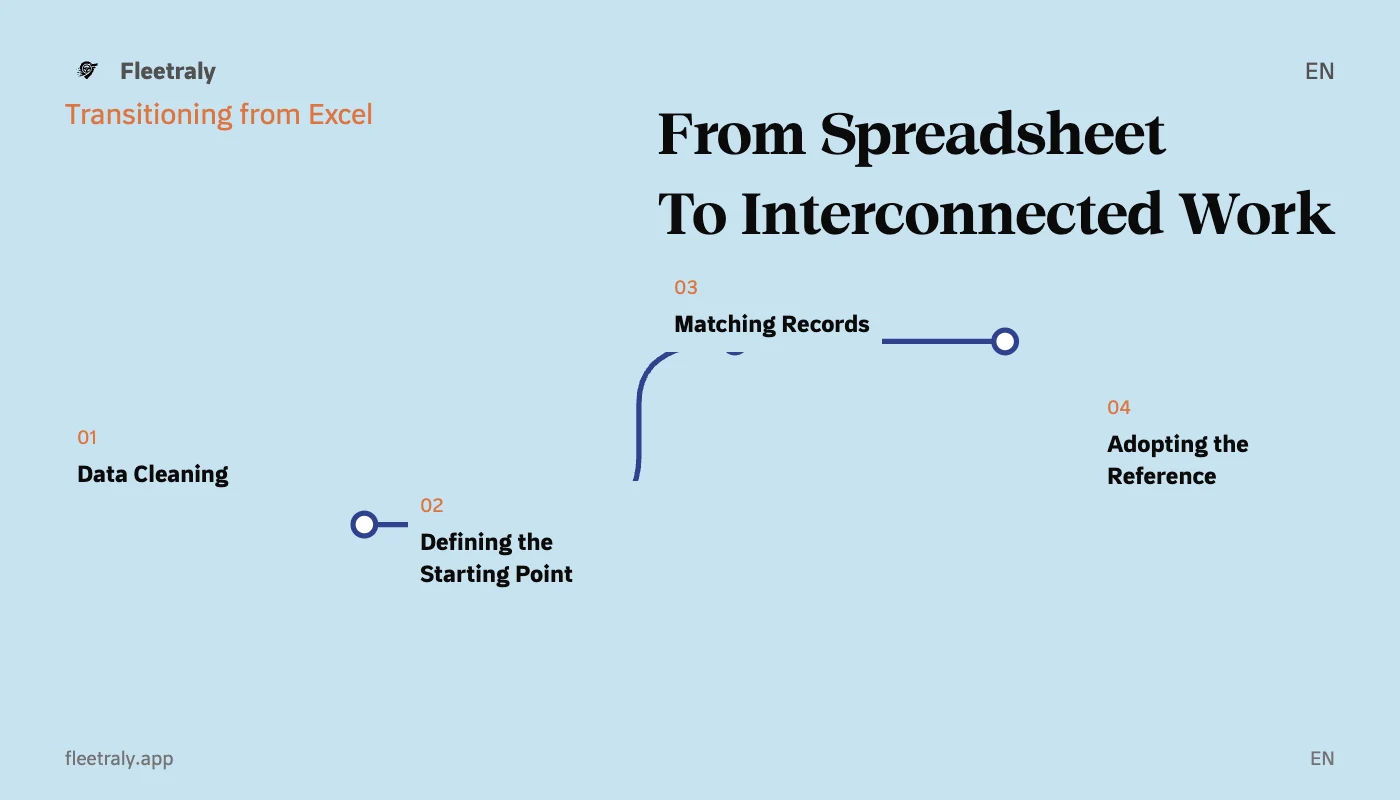
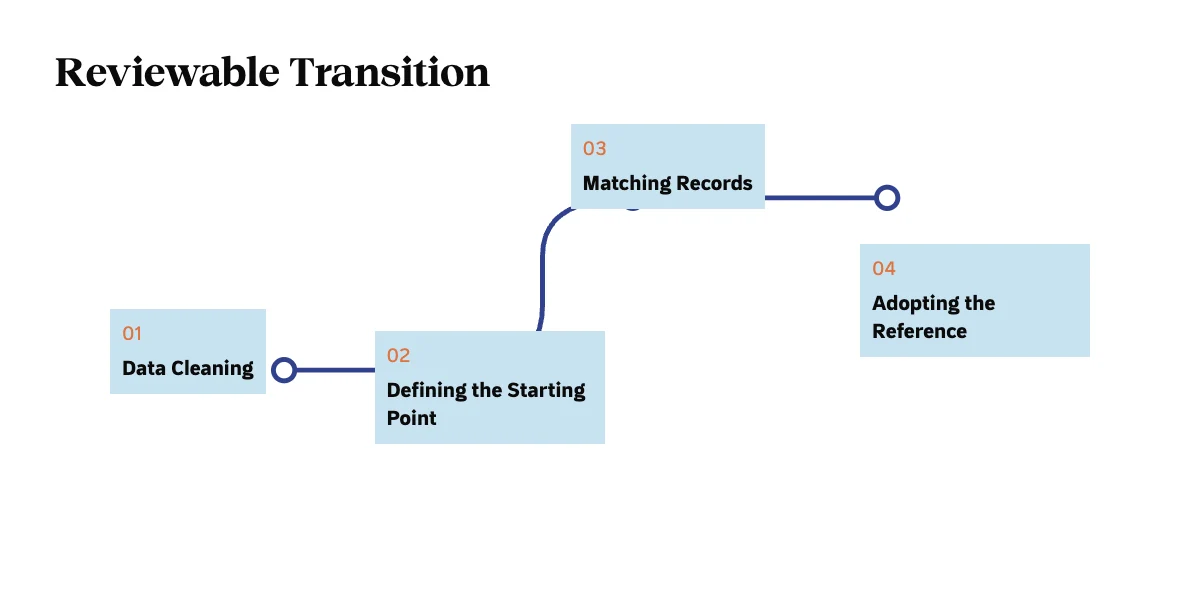
Gradual Transition Plan from Excel to Car Rental Software
Clean the data: Standardize field names, date and number formats, and review duplicate records.
Define the opening operational balance: Existing bookings, vehicles, customers, and open amounts.
Check available input or import formats, and what needs to be entered manually.
Test a sample of data, and match dates, statuses, and amounts with the reference file.
Set a system adoption date and update responsibility, and save a reference copy of old files.
During testing, avoid having two sources receiving modifications without a matching mechanism. Clearly define where the new operation is recorded and who reviews the discrepancies. You can keep Excel for analysis or archiving when it serves a clear purpose.
How do you evaluate Fleetraly at this stage?
Review Fleetraly's Rental Management Features, then test the workflow of Vehicle and Booking Management with an example from your files. Ask about data preparation and entry methods and any import limitations before agreeing on a transition plan.
Frequently Asked Questions about Excel and Rental Software
Should Excel be stopped completely?
Not necessarily. It may remain useful for analysis or preparing specific work lists. The important thing is for the team to know where the approved operational data is located and how any derived copies are reviewed.
Is there a specific number of cars that mandates a transition?
There is no one-size-fits-all limit. Multiple employees, branches, frequent extensions, and payment complexity can be more important indicators than fleet size alone.
If you want a practical comparison suitable for your office, prepare a sample of test data and request a Fleetraly demo focusing on the workflow steps you need to organize.