The car rental company's online booking page gives the customer one place to choose the period, review the cars, and submit their details. Its benefit to the business owner is not just having a link on the Internet; Rather, a request arrives carrying information that the team can review instead of re-collecting it from separate messages. The success of the page starts with the quality of fleet and pricing data and the responsibility to follow up on orders.
What is the difference between a booking page and an inquiry conversation?
In the conversation, the customer may send a pickup time now, then modify the branch after several messages, and then ask about insurance. The page linked to the operation organizes these choices in one path. Communication remains important to clarify conditions, but it starts from asking for known details rather than starting from scratch every time.
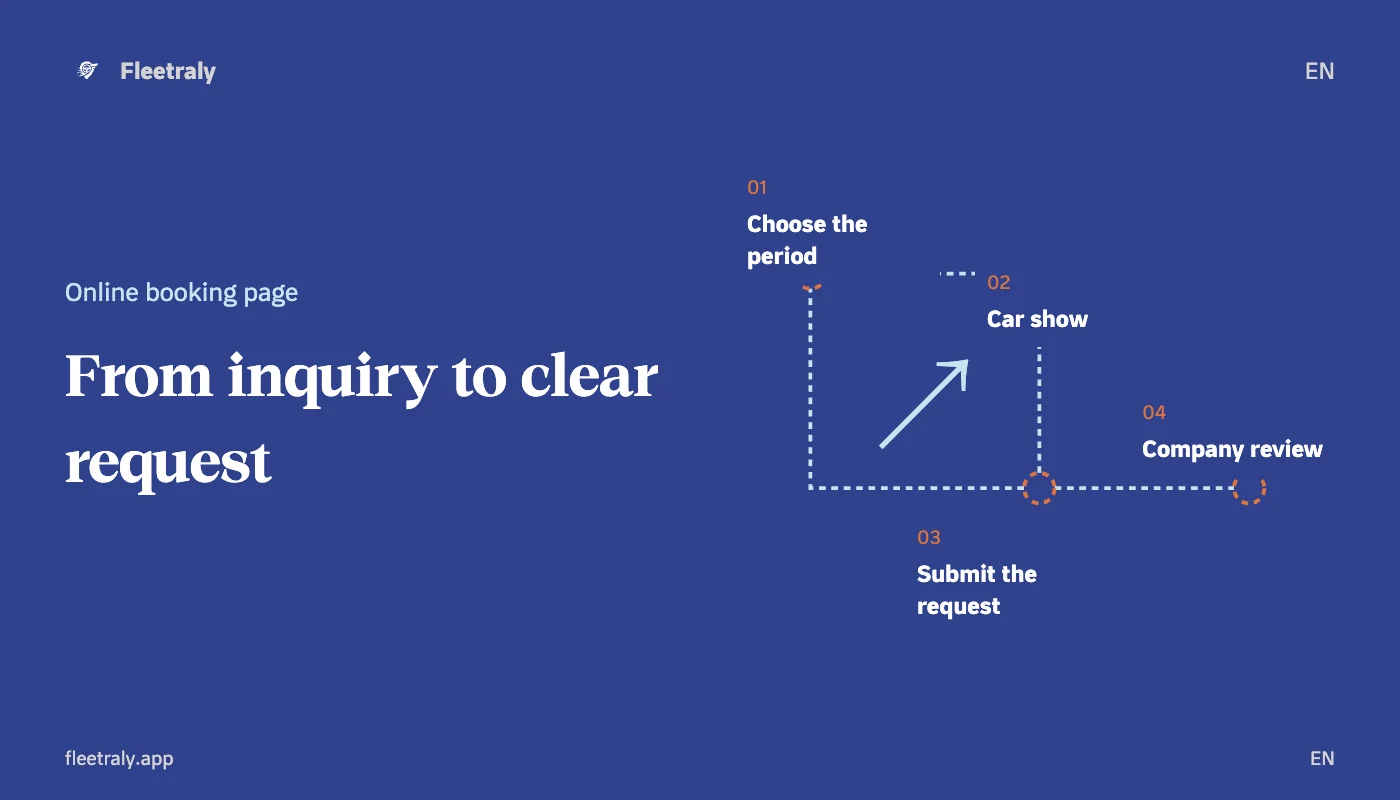
In Fleetraly, a general company page is linked to its actual branches, vehicles, and categories. The customer searches for the required period, reviews the car and sends a request to the company. An order does not mean an immediate confirmation of a reservation; Reviewed by the team, acceptance is subject to availability check and applicable booking and payment terms.
What data do you prepare before sharing the link?
| Statement | What are you reviewing? |
|---|---|
| Cars | Suitable pictures and correct information about the category, specifications and cars you want to display. |
| Branches and appointments | The place of receipt and return, the required period, and the mechanism for dealing with work hours. |
| Pricing | Prices, applicable add-ons, discounts and security amount are separately. |
| Terms | Permissible distance, customer requirements, review and confirmation policy. |
Don't use a good photo to make up for an incomplete description. Make sure the employee can explain the price the customer is seeing, and that the quote does not suggest an item is included. Review the contact information required in the application form so that the company can refer to its owner.
How does Fleetraly review a booking request go?
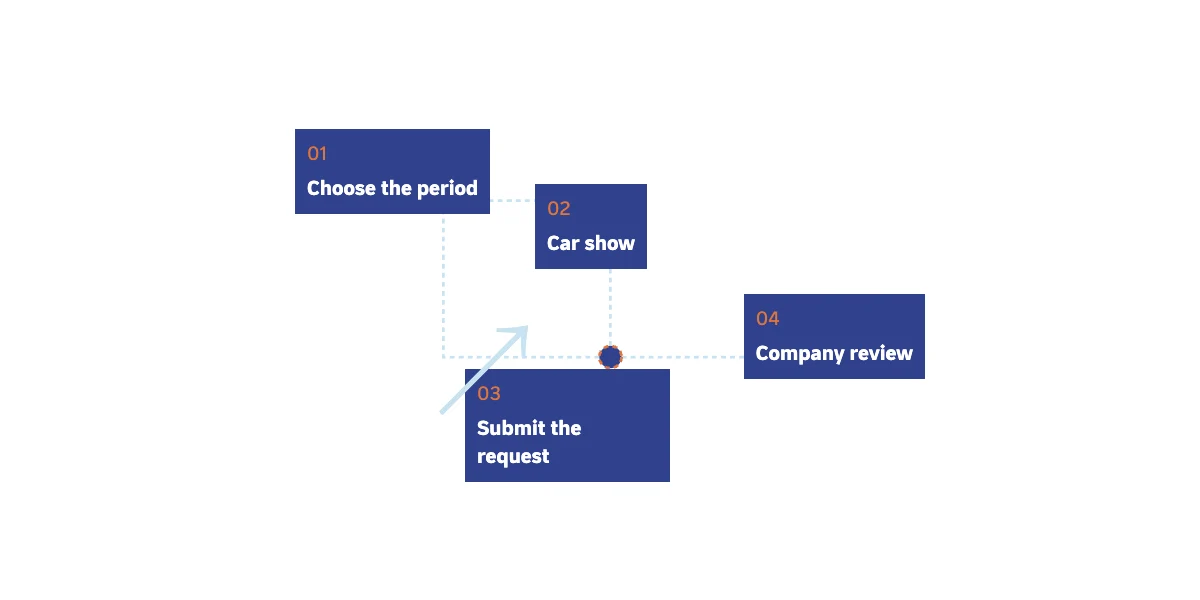
- The customer chooses the period and searches the company's available cars according to the page settings.
- He opens the request for the selected vehicle, enters the required contact information, and reviews the offer and conditions.
- The company's team receives the order and reviews the vehicle, period, price and customer data.
- Upon acceptance, availability is checked again. If the company requires an advance payment, the confirmation is linked to the completion of its requirements within the specified deadline.
Determine who follows up on requests during business hours and who covers their absence. Organizing the reception of the request does not relieve the team from following up, and you should not advertise a speedy response or automated confirmation unless you are able to commit to them.
Test the page before adding it to your ad
- Open the link from the phone without a login session, and make sure that the period, branch, and images are clear.
- Review the price quoted and whether the extras, warranty and mileage are clear in reviewing the details.
- Carefully test the route within the approved test environment, verifying where the request appears and who is responsible for handling it.
- After reservations or vehicle status change, re-examine search results instead of relying on an old page image.
How do you measure if a page is useful?
Start with the number of completed requests and the clarification each request requires, then track the percentage of requests that end in confirmed reservations and the reasons for non-completion. Link traffic alone is not a business result. If you use advertising, separate new orders from confirmed bookings, and don't add them into one number.
Frequently asked questions about the car reservation page
Does online ordering reserve the car directly?
Submitting the application is a step before reviewing the company. Read the status message, payment terms and confirmation; Do not treat a submitted request as a confirmed reservation.
Is it enough to post the link once?
The link requires updated data and a team that tracks requests. Place it where the customer searches for how to book, and check the page after any significant change in cars or prices.
Start from a booking trip that you can review
If you want to collect order information and link it to the office’s workflow, start by preparing your vehicle data and prices, then activate the company page, save its settings, and review its public link. This way you can evaluate what the team sees and what the customer sees before expanding the use of the page.
Links to help you get started
Learn about the benefits of Fleetraly
Read our guide to preventing overlapping bookings
Create your company account and start preparing your reservation information